
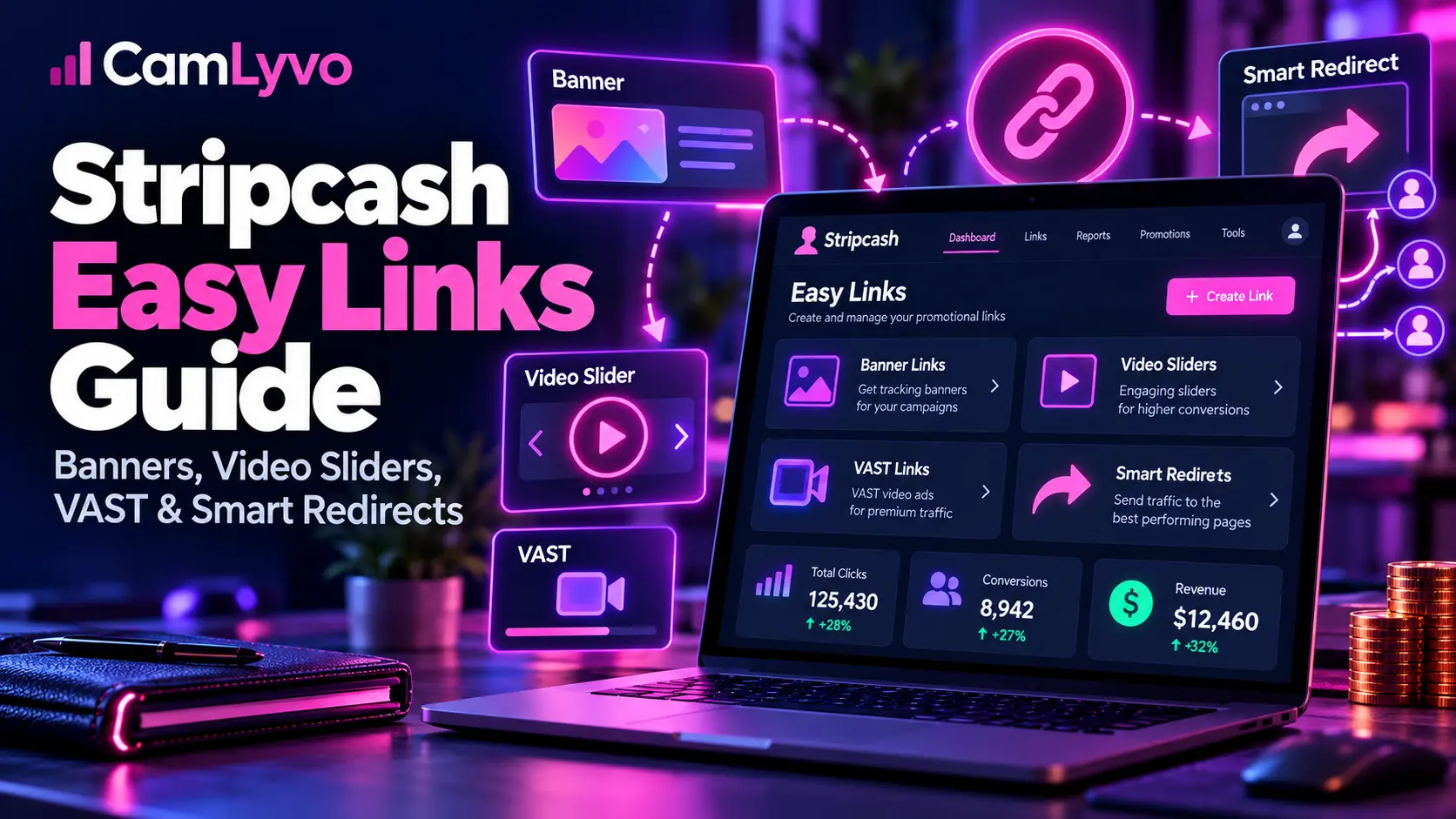
Stripcash gives affiliates several ways to send traffic to Stripchat, but manually choosing and maintaining every creative can become difficult as campaigns grow.
Easy Links are designed to simplify that process.
Instead of treating every banner, video placement or redirect as a completely separate piece of affiliate infrastructure, an Easy Link can provide a managed link that Stripcash uses to serve a current creative or destination appropriate to the configured placement and visitor.
Current Stripcash documentation says Easy Links can work with formats including banners, pre-roll VAST, Video Sliders and popunder traffic, while considering signals such as geography, language, device and orientation.
This guide explains what Easy Links are, how the major formats differ, how tracking works and what affiliates should test before sending meaningful traffic.
If you are completely new to Stripcash, start with Stripcash Affiliate Program: Beginner’s Guide.
Affiliate disclosure: CamLyvo participates in affiliate marketing and may receive compensation from eligible referrals, including referrals to programs discussed on this site. Compensation does not determine our editorial conclusions. See our Affiliate Disclosure.
What Are Stripcash Easy Links?
An Easy Link is a Stripcash affiliate tool designed to reduce the amount of manual creative maintenance required for certain traffic placements.
Stripcash's July 2026 documentation describes it as one ready-made link that can continue serving the current creative associated with the placement.
When Stripcash replaces a creative with a newer version within that setup, the affiliate does not necessarily need to replace the URL across every placement.
The basic concept is:
Configure the placement once, use the generated Easy Link, and allow Stripcash's current system to handle the appropriate supported creative or redirect behavior.
What Problems Are Easy Links Trying to Solve?
Without a managed system, an affiliate may need to repeatedly:
- find new creatives,
- replace old banners,
- change video assets,
- update destination links,
- maintain tracking parameters, and
- adapt placements for different devices or markets.
Easy Links can simplify part of that maintenance.
They do not remove the need for campaign analysis, traffic compliance or conversion tracking.
How Does an Easy Link Work?
At a high level, the workflow is:
- You choose a supported traffic type or creative format.
- You configure the placement in Stripcash.
- Stripcash generates the Easy Link.
- You place that link or integration in the relevant traffic source.
- The system evaluates supported visitor signals.
- The visitor receives the current applicable creative or destination.
- Campaign tracking remains associated with the traffic.
The exact dashboard interface can change, so always follow the fields currently shown in your Stripcash account.
What Does Stripcash Use to Adapt Easy Link Traffic?
Stripcash's July 2026 documentation says Easy Links can read factors including:
- visitor geography,
- language,
- device, and
- orientation.
Stripcash says those signals help determine where the visitor is more likely to convert within the supported Easy Link setup.
This does not mean every visitor is guaranteed to convert.
Are Easy Links the Same as Smart Links?
The terminology can be confusing because the general affiliate industry often uses terms such as smartlink, smart redirect or rotator.
Stripcash's recent documentation specifically calls its current system Easy Links.
Older Stripcash material has also referred to smartlink/easylink functionality when describing automated visitor matching.
In this CamLyvo guide, smart redirect behavior means the traffic-aware routing behavior documented for Easy Links. It should not be interpreted as the confirmed name of a separate Stripcash product called “Smart Redirects.”
Which Formats Do Stripcash Easy Links Support?
Stripcash's July 2026 Easy Links article explicitly lists formats including:
| Format | Typical Placement Type |
|---|---|
| Banner iframe / JavaScript | Website advertising spaces |
| 300×100 Mobile Slider / Circle | Compact mobile placement |
| 300×250 Mobile Slider / Square | Larger mobile feed-style placement |
| Video Slider | Interactive video-style promotion |
| Pre-roll VAST | Compatible video-player advertising inventory |
| Popunder | Compatible popunder traffic placements |
| Other supported sizes | Additional formats currently available in the dashboard |
Not every format is appropriate for every affiliate.
An SEO review site and a media buyer operating video inventory can use completely different parts of the toolkit.
1. Banner iframe / JavaScript Easy Links
Banner placements are one of the most familiar affiliate advertising formats.
Stripcash currently documents banner Easy Links delivered through iframe or JavaScript configurations.
The affiliate selects a supported banner size and places the generated implementation into an appropriate advertising position.
Why Use a Managed Banner?
A static banner can become outdated.
If the creative changes, an affiliate may otherwise need to replace the image or code manually.
Stripcash says Easy Links are intended to keep the placement connected to the current creative for that format.
That can reduce repetitive creative maintenance.
What Is the 300×100 Circle Format?
Stripcash's July 2026 Mobile Slider announcement describes a 300×100 Circle creative.
The company says the design takes inspiration from the familiar visual pattern of social-media Stories.
It is intended for relatively compact mobile advertising space.
The name “Circle” describes the creative style documented by Stripcash; it does not mean every 300×100 banner on the internet has the same design.
What Is the 300×250 Square Format?
Stripcash also documents a 300×250 Square Mobile Slider format.
The company's current article describes it as being visually closer to a mobile-feed experience.
Because it occupies more space than a 300×100 unit, the format can provide a larger visual area for the creative.
Whether it performs better on your traffic should be measured rather than assumed.
300×100 vs 300×250
| Format | Relative Characteristic |
|---|---|
| 300×100 | More compact mobile placement |
| 300×250 | Larger square/rectangle placement with more visual space |
The larger placement is not automatically the higher-converting option.
Performance can depend on:
- page layout,
- visitor device,
- placement position,
- traffic source,
- audience intent, and
- the current creative.
Do Not Force the Wrong Banner Size Into a Placement
A creative should fit the space where it is displayed.
If a banner is stretched, clipped or causes layout problems, user experience can suffer.
Before publishing:
- check the placement on desktop where relevant,
- check it on mobile,
- verify that the creative is not cropped incorrectly,
- check whether it causes horizontal overflow, and
- confirm that surrounding editorial content remains readable.
2. What Is a Stripcash Video Slider?
A Video Slider is a more dynamic promotional format than a traditional static banner.
Stripcash has promoted Video Sliders as one of its current advertising formats and included them within the Easy Links toolkit.
The July 2026 update introduced refreshed Mobile Slider creatives and said those updated creatives had produced more clicks and signups than the version they replaced in Stripcash's own testing.
That result describes Stripcash's test of those creative versions. It is not a guarantee that a Video Slider will outperform another format on every affiliate's traffic.
Why Video Can Attract Attention
Video or animated formats can communicate more visual information than a static image.
But attention alone is not the final affiliate objective.
A useful measurement sequence remains:
Impression → Click → Signup → Firstbuy → Revenue
A creative generating more clicks can still produce weaker purchasing traffic.
Do Not Measure a Video Slider Only by CTR
Suppose these hypothetical campaigns run on equal traffic:
| Creative | Clicks | Firstbuys |
|---|---|---|
| Video Slider | 500 | 8 |
| Banner | 300 | 12 |
The Video Slider produces more clicks in the example.
The banner produces more first purchasers.
The figures are hypothetical, but they demonstrate why downstream tracking matters.
3. What Is VAST?
VAST stands for Video Ad Serving Template.
It is an industry format used to connect compatible video advertising inventory with video-ad instructions or creatives.
For Stripcash affiliates, VAST is relevant when the affiliate or traffic partner operates compatible video-ad placements.
Stripcash currently lists pre-roll VAST among its Easy Link formats.
What Is a Pre-Roll?
A pre-roll advertisement appears before the main video content in a compatible player or advertising environment.
The exact implementation depends on the player, advertising provider and Stripcash configuration.
You should not simply paste a VAST link into an ordinary image-banner location and expect it to work.
The publisher or ad platform needs to support VAST.
When Is VAST Relevant?
VAST may be relevant if you operate or purchase:
- compatible video-player inventory,
- pre-roll advertising placements,
- video-oriented adult traffic, or
- an ad network that accepts the applicable VAST configuration.
An editorial SEO website with no video advertising inventory does not need to adopt VAST merely because Stripcash offers it.
VAST Is Not Automatically Better Than a Banner
Different formats have different:
- inventory costs,
- user behavior,
- visibility,
- creative requirements,
- technical requirements, and
- conversion economics.
Choose the format based on the traffic and placement you actually control.
Current Magic Search Can Also Work With VAST Links
Stripcash's September 2026 Magic Search documentation says affiliates can add a supported path parameter to a text link or VAST link.
This can allow eligible traffic to land on a specific Magic Search query rather than a generic starting destination.
That makes VAST not only a creative-delivery question but potentially a destination-matching question as well.
Magic Search Query Links Have an Important Limitation
A Magic Search query returns a list of matching online Models.
It does not guarantee that the visitor will land in one particular Model room.
If your creative promises one specific room, use the appropriate room-linking method rather than presenting a search-results destination as if it were the same thing.
4. What Is Popunder Traffic?
Stripcash currently lists popunder among the formats supported by Easy Links.
A popunder is a web advertising format in which another page or advertising destination opens behind the current browser window or tab, depending on the implementation and browser environment.
It is commonly associated with performance advertising rather than editorial inline links.
Popunder Requires Traffic-Source Compliance
Do not assume every website, browser environment or advertising provider permits the same popunder implementation.
Before using it, verify:
- the traffic provider's current rules,
- your website's user-experience standards,
- applicable age restrictions,
- Stripcash's current requirements, and
- applicable legal or consent requirements.
A supported Stripcash format does not automatically mean every external platform allows you to use it.
5. What Are Smart Redirects in This Context?
Easy Links can provide traffic-aware routing behavior.
Stripcash says the current system can consider the visitor's:
- GEO,
- language,
- device, and
- orientation.
It can then send the visitor toward the supported destination the system considers suitable for that traffic.
CamLyvo refers to this concept as smart redirect behavior.
Again, we are not claiming that “Smart Redirects” is currently the formal name of a separate Stripcash product.
Why Geography Can Matter
Visitors from different locations can differ in:
- language,
- available content,
- payment accessibility,
- pricing,
- traffic economics, and
- general user behavior.
Routing systems can use geographic context to improve destination relevance.
That does not mean a particular GEO is automatically profitable.
Why Language Can Matter
A destination that matches the user's language can reduce unnecessary friction.
Stripcash specifically identifies visitor language as one of the signals used by Easy Links.
Affiliates should still make sure the message before the click is understandable and accurate.
Why Device Can Matter
A mobile visitor and a desktop visitor may interact differently with:
- banner sizes,
- video placements,
- page layouts,
- registration forms, and
- payment flows.
Current Easy Links documentation lists device as another signal used by the system.
Why Orientation Matters
Stripcash's Easy Links documentation also references orientation when determining the relevant setup and visitor handling.
Its July 2026 setup instructions list orientation options in the dashboard.
If the dashboard terminology changes after this article is published, use the current categories shown inside Stripcash rather than relying on an old screenshot or guide.
Easy Links Do Not Replace Traffic Targeting
An automated redirect cannot make completely irrelevant traffic valuable.
You still need to understand:
- where your traffic comes from,
- whether it is appropriate for an adult offer,
- what the visitor expects,
- which creative was shown, and
- whether the campaign produces downstream conversions.
For traffic-source strategy, read Stripcash Affiliate Traffic Sources: SEO, Social & Paid Traffic Guide.
Stripchat vs Whitelabel Destination
Stripcash's current Easy Links instructions say the target domain can be configured as:
- Stripchat, or
- your own whitelabel where applicable.
Those destinations represent different affiliate strategies.
When Would You Send Traffic Directly to Stripchat?
A direct Stripchat destination can make sense when:
- the visitor already expects Stripchat,
- your content explicitly discusses Stripchat,
- the CTA clearly says the visitor is going to Stripchat, or
- you do not operate a relevant whitelabel experience.
When Might a Whitelabel Be Relevant?
A whitelabel can be relevant to publishers operating a customized branded front-end connected to the live-cam infrastructure.
However, a whitelabel brings additional responsibilities, including:
- branding,
- site maintenance,
- technical integration,
- legal pages,
- privacy considerations,
- analytics,
- SEO, and
- user experience.
Do not create a whitelabel solely because it appears in the Easy Links destination selector.
How Do You Create a Stripcash Easy Link?
Stripcash's July 2026 instructions describe the current setup beginning in the Easy Links section of the affiliate dashboard.
The documented workflow is broadly:
- Open Easy Links in Stripcash.
- Select Add Easylink.
- Give the Easy Link a descriptive name.
- Select the appropriate traffic type.
- Choose the required traffic subtype or creative size.
- Select the relevant orientation/category shown by Stripcash.
- Choose Stripchat or your applicable whitelabel as the target domain.
- Save the configuration.
- Copy the generated link or implementation.
- Place it in the intended traffic source.
Use the live dashboard if its field names or available options have changed.
Example: Creating a Mobile Banner Easy Link
Stripcash's July 2026 article gives a particularly clear example for its updated Mobile Slider creatives.
The documented configuration uses:
- Traffic type: Banner iframe/js
- Traffic subtype: a supported size such as 300×100 or 300×250
- Target: Stripchat or the affiliate's whitelabel
After saving, the affiliate copies the resulting link into the intended placement.
Name Easy Links Clearly
A useful name should help you understand the placement months later.
For example:
mobile-300x100-home
mobile-300x250-review
vast-preroll-network-a
video-slider-site-b
Avoid names such as:
test
new
new2
final
final2
link123
Clear naming becomes increasingly important as the number of campaigns grows.
What Happens to campaignId?
Stripcash's current Easy Links documentation says the campaignId is filled in automatically.
This gives the generated Easy Link an associated campaign identifier without requiring the affiliate to manually reconstruct the tracking URL.
You should still understand which Easy Link or campaign the ID represents.
What Are p1, p2 and p3?
Stripcash also says affiliates can add custom p1, p2 and p3 parameters.
According to the July 2026 documentation, those values travel with the tracking through redirects.
The parameters can therefore help you distinguish additional dimensions of your traffic.
Example p1–p3 Structure
CamLyvo could theoretically organize them as:
| Parameter | Example Internal Meaning |
|---|---|
| p1 | Traffic source |
| p2 | Campaign or placement |
| p3 | Creative variant |
Example:
p1 = paid-network-a
p2 = mobile-slider
p3 = 300x250
This is only an example naming convention. Stripcash does not require those exact meanings.
Do Not Put Sensitive Personal Data in p1–p3
Tracking parameters should describe traffic rather than expose users.
Avoid placing information such as:
- real names,
- email addresses,
- phone numbers,
- payment information,
- passwords,
- authentication codes, or
- other unnecessary personal identifiers
into custom tracking values.
Easy Links and Redirect Tracking
One useful part of the current implementation is that Stripcash says the affiliate's custom p1–p3 values remain attached through redirects.
This matters when the system uses traffic-aware routing.
Without persistent tracking, automated destination changes could make campaign analysis more difficult.
Test Tracking Yourself
Do not assume tracking is correct merely because a link was generated successfully.
Before sending substantial traffic:
- open the placement,
- click or test it appropriately,
- confirm the destination loads,
- check that the expected campaign is represented in reporting,
- verify custom tracking values where available, and
- repeat the test after major configuration changes.
Easy Links and CamLyvo's /go/ Routes Are Different Tools
CamLyvo uses internal routes such as:
/go/stripchat
/go/model-signup
/go/affiliate-signup
Those routes are part of CamLyvo's own outbound-link management.
A Stripcash Easy Link is part of Stripcash's affiliate traffic and creative infrastructure.
Do not confuse the two layers.
Can an Internal /go/ Route Point to an Easy Link?
Technically, an internal redirect can point to an external tracked destination when your affiliate architecture is designed that way.
The important requirement is that the complete route does what you intend:
CamLyvo CTA → internal /go/ route → intended Stripcash tracking destination → appropriate final Stripchat destination
After changing the external target, test the full chain again.
Do Not Add an Extra Redirect Without a Reason
Every additional redirect layer adds another place where:
- configuration can fail,
- tracking can be lost,
- a destination can become outdated, or
- debugging can become harder.
Use your internal affiliate-routing architecture consistently, but avoid unnecessary complexity.
How Do Easy Links Update Creatives?
Stripcash says an Easy Link can remain in place while the creative associated with that supported placement is updated on Stripcash's side.
The July 2026 article specifically promotes this benefit for its Mobile Slider creatives.
This can reduce the need to:
- download a replacement creative,
- edit every page or ad placement,
- upload another file, or
- change the destination URL simply because the creative was refreshed.
Automatic Creative Updates Are Convenient, but Monitor Them
Automation does not remove your responsibility for your own publishing environment.
Periodically check that:
- the placement still renders correctly,
- the creative remains suitable for the surrounding page,
- the destination still aligns with your message,
- tracking is still working, and
- the traffic provider still permits the format.
Easy Links Do Not Mean “Set and Forget Forever”
Stripcash's documentation emphasizes reduced creative maintenance.
That should not be interpreted as meaning an affiliate business never needs to check the placement again.
You still need to monitor:
- campaign economics,
- technical rendering,
- tracking,
- traffic rules,
- user experience, and
- program changes.
How Should You Compare Easy Link Formats?
Do not choose the “winner” based solely on which format looks more sophisticated.
Compare meaningful metrics.
| Metric | Question |
|---|---|
| Impressions | How much exposure did the placement receive? |
| Clicks | How much traffic did it send? |
| CTR | How often did impressions become clicks? |
| Signups | How many referred visitors registered? |
| Firstbuys | How many became initial purchasers? |
| Revenue | What affiliate revenue was attributed? |
| Cost | What did the inventory or campaign cost? |
| Profit / ROI | Was the campaign economically worthwhile? |
CTR Is Not Enough
Stripcash's July 2026 announcement says its new Mobile Slider version generated more clicks and signups than the previous version in its own testing.
That is useful creative-performance evidence.
But your campaign still needs its own downstream measurement.
A creative generating additional clicks is not automatically more profitable if those clicks cost more or produce lower-value referred users.
Track Signups and Firstbuys Separately
Stripcash's September 2026 Magic Search guidance explicitly recommends comparing both signups and first purchases across separately tracked tests.
That is a useful principle for Easy Link testing as well.
For example, compare:
| Format | Clicks | Signups | Firstbuys |
|---|---|---|---|
| 300×100 | Track | Track | Track |
| 300×250 | Track | Track | Track |
| Video Slider | Track | Track | Track |
| VAST | Track | Track | Track |
The table is a measurement framework, not a claim that all four formats should be tested in every campaign.
Keep Traffic Sources Separate
A banner shown to organic website visitors and a VAST campaign bought through an ad network have very different acquisition economics.
Do not combine them into one undifferentiated report.
Separate:
- SEO/editorial traffic,
- paid display,
- paid video,
- popunder,
- social traffic where permitted, and
- other major sources.
Paid Formats Need Cost Tracking
If you buy VAST, banner or popunder inventory, include the traffic cost in your analysis.
A campaign showing $1,000 in affiliate revenue is not profitable merely because revenue is positive.
For example:
$1,000 affiliate revenue − $1,200 media cost = −$200 simplified profit
The numbers are hypothetical.
Historical VAST Results Are Not Current Benchmarks
Stripcash published a 2023 TrafficStars case study that used a Stripcash VAST tag and device-specific campaigns.
That case study is useful as evidence that VAST has been used in real Stripcash media-buying workflows.
But its:
- traffic costs,
- ROI,
- CPA assumptions,
- GEO performance, and
- creative results
belonged to that historical campaign.
Do not reuse those old numbers as a 2026 benchmark.
Test Mobile and Desktop Separately When Useful
Historical Stripcash case-study data showed that device segments can behave very differently.
Current Easy Links also use device as one of their visitor signals.
If your volume is sufficient, compare:
- mobile clicks,
- desktop clicks,
- signup rates,
- firstbuy rates,
- traffic costs, and
- revenue.
Do not assume one device category must always outperform another.
Test Placement, Not Just Creative
A strong banner in a weak placement can still perform poorly.
For website advertising, placement factors include:
- visibility,
- page context,
- mobile position,
- screen size,
- surrounding content, and
- whether the ad disrupts the user's task.
Use tracking that lets you distinguish strategically different placements where doing so is useful.
Avoid Intrusive Placement Decisions
More attention is not always better user experience.
Do not allow an affiliate placement to:
- cover important navigation,
- make content unreadable,
- cause persistent accidental clicks,
- break the mobile layout, or
- mislead the visitor into thinking the ad is part of a required site action.
Do Not Disguise an Advertisement as a System Warning
A commercial creative should not imitate:
- a security alert,
- a virus warning,
- a fake download requirement,
- a fake account notification, or
- another deceptive interface element.
The visitor should not need to be tricked into clicking.
Respect Adult Traffic Restrictions
Stripchat is an adult service.
Using an Easy Link does not override the policies of:
- advertising networks,
- social platforms,
- publishers,
- hosting services,
- app environments, or
- jurisdictions.
Verify that the relevant source permits the campaign before deploying it.
Do Not Intentionally Target Minors
Adult live-cam advertising should be directed only to appropriate adult audiences and operated according to applicable rules.
Easy Link automation does not replace the affiliate's responsibility for choosing an appropriate traffic source.
Easy Links and SEO Content
An editorial SEO site does not necessarily need dynamic advertising everywhere.
A normal contextual text CTA can sometimes be clearer for readers who are already researching Stripchat.
For example:
<a href="/go/stripchat"
   target="_blank"
   rel="sponsored noopener noreferrer">
   Visit Stripchat
</a>
Easy Links become more relevant where you specifically want managed advertising creatives or traffic-routing functionality.
Do Not Replace Useful Editorial CTAs With Ads Automatically
If a visitor has just read a detailed Stripchat review, a clearly labeled text or button CTA can be more understandable than inserting an unrelated dynamic advertising unit.
Choose the tool according to the user journey.
Easy Links and Affiliate Disclosure
Automated creative delivery does not remove the commercial relationship.
On editorial properties, make the affiliate relationship clear to readers where applicable.
CamLyvo's broader disclosure is available at Affiliate Disclosure.
Easy Links and Magic Search
Easy Links and Magic Search solve related but different problems.
| Tool | Primary Role |
|---|---|
| Easy Links | Managed creative and traffic-aware routing for supported formats |
| Magic Search query link | Send eligible traffic to a specific Stripchat search query |
Stripcash currently says a Magic Search path can be added to text or VAST links.
That means the tools can intersect in certain campaigns without being identical products.
Should You Send Every Visitor to Magic Search?
No.
A specific query destination is useful only when it matches the promise or intent behind the traffic.
A generic Stripchat CTA may be more appropriate for generic Stripchat traffic.
A specific room-linking method may be more appropriate when the creative accurately refers to one particular room.
A Magic Search result can be useful when the visitor's interest is better represented by a query.
Message Match Comes Before Technical Sophistication
A sophisticated redirect does not fix a misleading advertisement.
The full path should remain coherent:
Traffic intent → creative → click → destination → user expectation
If any stage promises something different from the next, conversion quality can suffer.
Common Easy Link Mistakes
Using Easy Links Without Understanding the Traffic Source
Automation cannot turn irrelevant traffic into a qualified audience.
Choosing a Format Because It Looks More Advanced
VAST or Video Slider is not automatically superior to a banner.
Measuring Only Clicks
Track signups, firstbuys and revenue where available.
Ignoring Campaign Costs
Paid traffic can generate revenue while still losing money.
Using the Wrong Banner Size
Test rendering on the device and placement for which it is intended.
Assuming Automatic Creative Updates Mean No Maintenance
Continue checking rendering, tracking, compliance and campaign economics.
Using Inconsistent p1–p3 Values
Document your naming convention before reports become fragmented.
Putting Personal Data Into Tracking Parameters
Use campaign labels instead of personal identifiers.
Confusing campaignId With Your Custom Parameters
The Easy Link's campaign ID and your additional tracking dimensions serve different purposes.
Sending Every Visitor to the Same Destination
Match destination strategy to visitor intent.
Treating Magic Search as a Specific Room Link
Current Magic Search query links return matching live results rather than guaranteeing one Model room.
Copying Historical VAST ROI
Old case-study performance is not a current benchmark.
Failing to Test the Generated Link
A campaign should be checked before significant traffic is sent.
Easy Link Testing Checklist
| Before Launch | Ready? |
|---|---|
| I selected a format appropriate for the traffic source. | □ |
| The traffic provider permits the adult campaign and format. | □ |
| The placement renders correctly on the target device. | □ |
| The creative does not misrepresent the destination. | □ |
| I understand which target domain the Easy Link uses. | □ |
| The campaign has a clear descriptive name. | □ |
| I understand what the campaign ID represents. | □ |
| Any p1–p3 tracking convention is documented. | □ |
| No sensitive personal data is included in tracking values. | □ |
| I tested the final destination. | □ |
| I can separate this placement from other campaigns in reporting. | □ |
| I plan to measure signups and firstbuys, not clicks alone. | □ |
| Paid traffic has a defined test budget. | □ |
| I will compare revenue with campaign costs. | □ |
| I will periodically recheck the placement after launch. | □ |
A Beginner Easy Links Workflow
Step 1: Identify the Placement
Determine whether you are working with a banner, mobile advertising position, video inventory, popunder placement or another supported format.
Step 2: Confirm Traffic Compliance
Verify that both Stripcash and the external traffic provider allow the campaign you intend to run.
Step 3: Create the Easy Link
Use the current Easy Links section in your Stripcash account and choose the appropriate traffic settings.
Step 4: Choose the Destination
Select Stripchat or your applicable whitelabel according to the campaign.
Step 5: Add Useful Tracking
Use campaign and optional custom tracking values where they answer a real reporting question.
Step 6: Test the Creative and Redirect
Confirm rendering, destination and tracking before sending meaningful traffic.
Step 7: Launch a Controlled Test
Do not scale paid inventory before you understand initial campaign behavior.
Step 8: Measure the Funnel
Review clicks, signups, firstbuys, revenue and cost.
Step 9: Compare Formats Carefully
Use equivalent traffic conditions where possible rather than assuming the format caused every observed difference.
Step 10: Keep Monitoring
Easy Links reduce creative maintenance, but your business still requires reporting and technical checks.
Which Easy Link Format Should You Choose?
The appropriate format depends on the inventory you actually have.
| Situation | Format to Investigate |
|---|---|
| Website with standard advertising space | Banner iframe/JS |
| Compact mobile placement | 300×100 format |
| Larger mobile placement | 300×250 format |
| Dynamic mobile ad placement | Video/Mobile Slider |
| Compatible video inventory | Pre-roll VAST |
| Permitted popunder inventory | Popunder Easy Link |
| Editorial article CTA | Often a normal tracked text/button link may be sufficient |
This table is a practical matching guide, not a performance ranking.
Should Beginners Use Every Format?
No.
Using more formats does not automatically increase profit.
A beginner is usually better served by understanding one real placement, tracking it correctly and learning how its traffic behaves before creating several campaigns that cannot be analyzed properly.
When Should You Add Another Format?
Consider expansion when:
- the existing campaign is tracked reliably,
- you have enough traffic to interpret results,
- you control another suitable placement,
- the traffic source permits the new format, and
- you have enough budget or operational capacity to test it responsibly.
How Does Easy Link Automation Affect A/B Testing?
Automation can make manual creative-level testing less direct if Stripcash itself changes the creative being served behind the managed link.
Therefore, be clear about what you are actually testing.
You might be testing:
- Easy Link vs another placement strategy,
- 300×100 vs 300×250 placement,
- banner vs VAST inventory,
- one traffic source vs another, or
- one destination strategy vs another.
Do not claim that one individual creative caused the result if the system automatically rotated or updated the creative during the test.
Record Important Campaign Changes
Keep a simple campaign log containing:
- launch date,
- Easy Link name,
- format,
- traffic source,
- destination,
- tracking convention,
- major creative/system changes you notice, and
- campaign stop or modification date.
This makes later analysis easier.
Do Not Assume an Updated Creative Explains Every Performance Change
Campaign results can also change because of:
- traffic quality,
- GEO mix,
- device distribution,
- bid changes,
- promotions,
- seasonality,
- payment availability, and
- normal statistical variation.
Interpret creative updates within the broader campaign context.
Easy Links and RevShare
For affiliates using a revenue-share arrangement, Easy Link performance should ultimately be evaluated beyond immediate clicks.
A traffic source may generate fewer first purchases but higher-value cohorts over time, or the opposite.
Stripcash's current public RevShare discussion identifies retention, rebuys and cohort quality as important factors in longer-term performance.
See Stripcash Revenue Share Explained.
Easy Links and Conversion Tracking
For practical analysis, connect the creative layer to the conversion layer:
Easy Link placement → Click → Signup → Firstbuy → Revenue → Cost → Profit
For detailed formulas and reporting guidance, read Stripcash Conversion Tracking: Clicks, Signups, Firstbuys & ROI Explained.
Easy Links and Affiliate Payouts
A high-performing Easy Link can generate attributed affiliate revenue, but reporting revenue and receiving a payout remain separate stages.
For current payment-schedule, quality-window and threshold considerations, see Stripcash Payouts Explained.
Frequently Asked Questions
What is a Stripcash Easy Link?
It is a managed Stripcash affiliate link used with supported promotional formats. Current Stripcash documentation says it can serve current creatives and use visitor signals such as GEO, language, device and orientation when routing supported traffic.
Does an Easy Link automatically update creatives?
Stripcash says supported Easy Link placements can continue serving the current creative when the company rolls out an updated version, reducing the need for affiliates to manually replace the URL for every creative refresh.
Which formats support Stripcash Easy Links?
Stripcash's July 2026 documentation lists formats including popunder, pre-roll VAST, Video Slider and banner iframe/JavaScript, including 300×100 and 300×250 Mobile Slider formats and other supported banner sizes.
What is the 300×100 Circle creative?
It is a Mobile Slider format documented by Stripcash in July 2026. Stripcash describes its visual approach as resembling a Stories-style interface.
What is the 300×250 Square creative?
It is a larger Mobile Slider format that Stripcash describes as resembling a mobile-feed style.
What is VAST?
VAST is an industry video-ad standard used by compatible players and advertising systems. Stripcash currently supports pre-roll VAST as one of its Easy Link formats.
Do I need VAST for an SEO site?
Not necessarily. VAST is relevant mainly when you operate compatible video-ad inventory. A normal editorial site can use tracked text links, buttons or suitable banner placements without adding VAST solely because it is available.
Does Stripcash support Video Sliders?
Yes. Current Stripcash Easy Links material documents Video Slider and updated Mobile Slider creatives.
What information does an Easy Link use?
Stripcash's July 2026 documentation lists GEO, language, device and orientation as visitor signals used by the system.
Is “Smart Redirects” the official name of another Stripcash product?
CamLyvo uses “smart redirect behavior” descriptively for the automated routing associated with Easy Links. The current Stripcash documentation reviewed for this guide names the primary tool Easy Links rather than documenting a separate product called Smart Redirects.
What is campaignId in an Easy Link?
It identifies the campaign associated with the Easy Link. Stripcash's current documentation says campaignId is filled in automatically for Easy Links.
What are p1, p2 and p3?
They are additional tracking parameters Stripcash allows affiliates to add in relevant Easy Link configurations. Current documentation says they remain attached through redirects.
Can I decide what p1–p3 mean?
You can build a consistent internal convention for the values. For example, an affiliate might use source, placement and creative. That example is not an official Stripcash requirement.
Can an Easy Link send traffic to a whitelabel?
Stripcash's July 2026 setup instructions say affiliates can choose Stripchat or their own applicable whitelabel as the target domain.
Can VAST links use Magic Search?
Stripcash's September 2026 Magic Search documentation says the supported search path parameter can be added to a text link or VAST link.
Does Magic Search send traffic to one specific Model?
No. Current Stripcash documentation says a Magic Search query opens a list of matching online Models. A specific room requires the appropriate supported room-linking method.
Are Easy Links guaranteed to improve conversions?
No. Stripcash reports improved clicks and signups for the July 2026 Mobile Slider creative compared with the version it replaced, but your results can depend on traffic quality, format, placement, GEO, device, costs and other campaign conditions.
Should I judge an Easy Link by CTR?
CTR is useful but incomplete. Track downstream events such as signups, firstbuys, attributed revenue and, for paid traffic, profit after campaign costs.
Can I use every Easy Link format on any traffic source?
No. The traffic source, publisher or advertising network may have its own rules. Verify that adult offers and the specific advertising format are permitted before launching.
Do Easy Links remove the need to maintain a campaign?
No. They can reduce manual creative maintenance, but affiliates should continue checking tracking, rendering, destinations, traffic rules and campaign economics.
Final Takeaway
Stripcash Easy Links are designed to simplify the creative and routing layer of affiliate campaigns.
Current documentation supports formats including:
- banner iframe/JavaScript,
- 300×100 Mobile Slider creatives,
- 300×250 Mobile Slider creatives,
- Video Sliders,
- pre-roll VAST, and
- popunder traffic.
The system can also use visitor signals such as geography, language, device and orientation while preserving campaign tracking and optional p1–p3 values through redirects.
But automation should not replace affiliate judgment.
Choose a format that matches your actual inventory. Verify the traffic source permits it. Keep the creative and destination aligned with what the visitor expects. Test the link before launch. Then measure signups and first purchases rather than celebrating clicks alone.
The practical workflow is:
- identify the traffic and placement,
- choose a supported format,
- configure the Easy Link,
- select the appropriate destination,
- add useful tracking,
- test the complete path,
- launch with controlled traffic,
- measure downstream conversions, and
- continue monitoring even when creative updates are automated.
Continue with CamLyvo's Affiliate guides:
- Stripcash Affiliate Program: Beginner’s Guide
- Stripcash Revenue Share Explained
- Stripcash Tracking Links & Campaign IDs
- Stripcash Affiliate Traffic Sources
- Stripcash SEO Guide
- Stripcash Conversion Tracking
- Stripcash Affiliate Mistakes
- Stripcash Payouts Explained
- Affiliate Disclosure
If you are an adult publisher or marketer and want to review the current Stripcash Easy Links and affiliate tools:
Visit Stripcash Affiliate Signup
CamLyvo may earn a commission from eligible referrals. Stripcash controls its current Easy Link formats, creatives, tracking parameters, routing behavior and destination options. Verify the live dashboard before implementing or funding a campaign.