Live-cam platforms combine live chat, user profiles, payments and links between people who may know very little about each other.
Most ordinary interactions do not automatically indicate a scam, but viewers should know how to recognize warning signs before sending money, revealing personal information or opening an unfamiliar link.
This guide focuses on practical red flags: fake support messages, phishing, off-platform payment requests, account theft attempts, suspicious downloads and other situations where slowing down can prevent a costly mistake.
If you use Stripchat specifically, also read our Stripchat Safety & Privacy Guide for Viewers.
Affiliate disclosure: CamLyvo may earn a commission from eligible referrals made through certain links on this site. That does not affect the safety guidance in this article. See our Affiliate Disclosure.
What Is a Live Cam Scam?
A live-cam scam is not one single technique.
It can involve someone trying to trick you into giving away:
- money,
- account credentials,
- payment information,
- personal identity information,
- access to your device, or
- information that can later be used to pressure or impersonate you.
The person may pretend to be a Model, another viewer, platform employee, payment provider or technical-support representative.
The safest approach is to judge the request itself rather than assuming a familiar name, logo or profile automatically makes it legitimate.
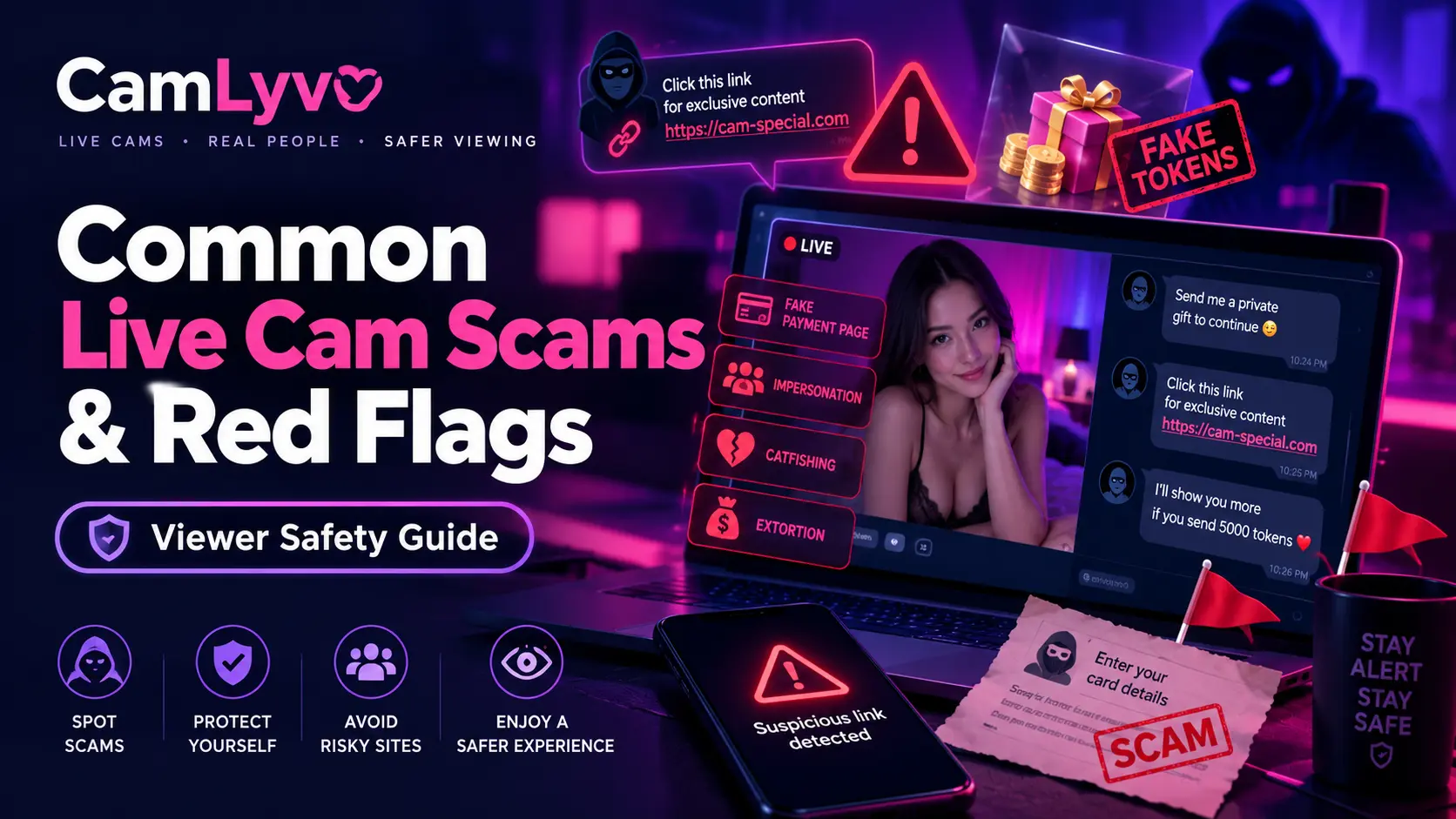
Quick Live Cam Scam Red Flags
| Red Flag | Why to Pause |
|---|---|
| Unexpected password request | Another user normally does not need your account password |
| Request for a login or recovery code | The code may allow someone to access your account |
| Urgent external payment demand | Pressure can prevent you from checking whether the request is legitimate |
| Unknown download or APK | Software can create credential or device-security risks |
| Suspicious login link | The page may imitate a legitimate service to capture credentials |
| Guaranteed free tokens or premium access | Unrealistic offers are commonly used to lure users into links or credential requests |
| Request for banking information in chat | Public or private chat is not the place to send sensitive financial credentials |
| Threats if you do not pay immediately | Urgency and intimidation are major reasons to stop and independently verify the situation |
1. Fake Platform Support
Someone may claim to be platform support and tell you that your account has a problem.
The message might say:
- your account will be suspended,
- your payment failed,
- someone hacked your profile,
- you must verify your identity immediately, or
- you need to send information to restore access.
The problem is not that every account warning is fake. The problem is trusting an unsolicited message without independently confirming it.
If someone claims to represent a platform, return to the official website yourself and use the support options listed there.
Red Flags for Fake Support
- They ask for your password.
- They ask for an email verification or recovery code.
- They pressure you to respond immediately.
- They want payment through an unrelated service.
- They send you to an unfamiliar login page.
- They ask to remotely control your device.
2. Phishing Links
Phishing attempts try to make a fake page or message look legitimate so you will enter information voluntarily.
A link might claim to lead to:
- your account login,
- a token bonus,
- a billing problem,
- a private gallery,
- a verification page, or
- a special promotion.
The page may look convincing while still being controlled by someone else.
What to Do Instead
If a message says there is a problem with your account, do not use the message link automatically.
- Open a new browser tab.
- Go to the official platform yourself.
- Log in normally.
- Check whether the same alert exists in your real account.
- Use official support if you still need help.
3. “Free Tokens” and Premium Access Offers
An offer that promises free tokens, premium access or special account benefits can be used as bait.
The request may eventually ask you to:
- enter your login information,
- install software,
- complete a suspicious payment,
- share personal information, or
- sign in through an unrelated website.
Do not assume an offer is legitimate simply because it uses the platform's branding.
Check promotions through the official website or account interface.
4. Off-Platform Payment Requests
A user may ask you to move a payment away from the platform's normal system.
An off-platform request is not automatically fraudulent in every imaginable context, but it changes your risk considerably.
You may lose:
- the platform's transaction record,
- access to normal billing support,
- clarity about who received the money, and
- some of the safeguards associated with the official payment process.
If you do not understand why you are being asked to pay somewhere else, do not proceed simply because the request is urgent.
5. Requests for Gift Cards, Crypto or Unusual Payment Methods
Be especially cautious when an unexpected person insists that you must use a difficult-to-reverse payment method.
The warning sign becomes stronger when the request includes pressure such as:
- “Pay right now.”
- “Do not tell support.”
- “This is the only way to unlock your account.”
- “Send the payment first and I will refund it later.”
If an account or billing problem is real, verify it through the official platform or the legitimate payment provider rather than following payment instructions from a stranger.
6. Fake Billing or Refund Messages
A scam message may claim that you:
- made a purchase you do not remember,
- were charged twice,
- need to renew a subscription, or
- are owed a refund.
The message then tells you to click a link, call a number or provide bank information.
Instead of responding through the message:
- check your real bank or card account,
- check your platform purchase history,
- identify the actual payment processor, and
- use official contact information.
If there is no matching transaction, do not provide payment information merely to “cancel” a charge that may not exist.
7. Fake Login Pages
A fake login page can closely imitate the real website.
Before entering your password, pay attention to where you actually are.
Useful habits include:
- opening the platform from your own bookmark,
- typing the known website address yourself,
- avoiding login links from unexpected messages, and
- using a password manager that recognizes the legitimate domain when appropriate.
If you already entered your password into a suspicious page, change the password through the legitimate service as soon as possible.
8. Requests for Verification Codes
A login, password-reset or authentication code is not casual chat information.
If someone asks you to copy a code from your email or phone and send it to them, stop.
The code may be part of an attempt to:
- reset your password,
- confirm a login,
- take control of an account, or
- change account information.
Do not share security codes with another viewer, Model or unknown support account.
9. Suspicious Downloads, Apps and Browser Extensions
A scam does not always ask for money first.
Someone may tell you that you need to install:
- a special viewer application,
- a premium APK,
- a browser extension,
- a video codec,
- screen-sharing software, or
- another program to access private content.
Unknown software can potentially expose information on your device.
Only install software when you independently understand what it is, where it comes from and why it is necessary.
For Stripchat viewers specifically, see our Stripchat on Mobile guide before trusting third-party app downloads.
10. Remote-Access Requests
Be extremely cautious if someone says they need remote control of your computer or phone to fix a live-cam account problem.
Remote-access tools can allow another person to interact with your device as though they were sitting in front of it.
That can expose:
- saved passwords,
- email accounts,
- financial information,
- personal files, and
- other logged-in services.
Do not grant remote access in response to an unsolicited support message.
11. Impersonation of Models or Other Users
Someone can create an account or external profile that appears to represent another person.
They might reuse:
- profile photographs,
- usernames,
- display names, or
- publicly available information.
If a person suddenly contacts you somewhere else claiming to be someone you interacted with on a live-cam site, do not assume the identity is genuine simply because the profile looks familiar.
Be particularly cautious when the new account quickly asks for money or personal information.
12. “Emergency” Money Requests
Social engineering often relies on emotion rather than technology.
A person may claim there is an urgent emergency and that you are the only person who can help.
The story might involve:
- medical expenses,
- travel problems,
- rent,
- account problems,
- family emergencies, or
- another unexpected crisis.
A real hardship is possible in the world, but you should not make a financial decision purely because an online stranger creates urgency.
Do not send money you cannot afford to lose.
13. Requests to “Prove You Trust Me”
Manipulative requests sometimes frame a security boundary as a relationship test.
Examples include:
- “If you trust me, send your real phone number.”
- “Send your ID so I know you are real.”
- “Give me your password so I can help.”
- “Pay outside the platform to prove you are serious.”
Trust does not require surrendering account security or sensitive personal information.
14. Requests for Identity Documents
A random user does not need your passport, driver's license or other government ID simply to chat with you.
Identity documents contain information that can be difficult to change once exposed.
Only provide identity information when you have independently verified that it is required by a legitimate service and you are using its authorized process.
15. Blackmail or Extortion Threats
A person may threaten to publish conversations, images or personal information unless you send money or comply with another demand.
Do not assume paying once will necessarily end the pressure.
If you receive a serious threat:
- stop providing additional personal information,
- preserve relevant messages or evidence where appropriate,
- secure affected accounts,
- use the platform's reporting or support system, and
- consider contacting appropriate local authorities if the threat involves extortion, stalking, violence or other criminal conduct.
If you are in immediate danger, contact the appropriate emergency service where you are located.
16. Fake “Verification” Requests From Other Users
Platform verification and one stranger asking you to prove your identity are not the same thing.
Be cautious when another user asks for:
- a selfie holding an ID,
- a photograph of a passport,
- a bank statement,
- a card photograph, or
- another sensitive document.
Do not copy official verification practices into informal private conversations.
17. Payment Card Photos
Never send another user photographs showing your full payment card information.
That includes:
- full card number,
- security code,
- expiration details, and
- other authentication information.
Use legitimate checkout systems rather than sharing card credentials through chat.
18. Suspicious QR Codes
A QR code is effectively another way of sending you to a link or payment destination.
Do not assume it is trustworthy merely because you cannot immediately see the URL.
If an unexpected QR code claims to provide:
- free tokens,
- account verification,
- premium access,
- a refund, or
- an external payment destination,
verify the purpose before proceeding.
19. Pressure to Leave the Platform Immediately
Moving a conversation elsewhere is not automatically a scam, but immediate pressure deserves caution.
An external service may have different:
- privacy policies,
- reporting systems,
- payment safeguards,
- identity rules, and
- moderation processes.
Stripchat's own Privacy Policy warns that third-party websites and services have separate privacy practices that Stripchat does not control.
If you leave a platform, understand that you are also leaving its immediate environment.
20. Deals That Depend on Secrecy
A request becomes more suspicious when someone tells you not to involve official support, your bank or another trusted person.
Statements such as:
Do not contact support or they will close your account.
should make you stop and independently verify what is happening.
Legitimate problems should withstand basic verification.
Why Urgency Is Such an Important Red Flag
Scammers often benefit when you act before thinking.
Urgency can make people skip normal questions such as:
- Is this actually the official website?
- Why does this person need my password?
- Can I verify this charge in my account?
- Why must I use this payment method?
- Why am I being told not to contact support?
When a request involves money, credentials or identity information, giving yourself time to verify it is usually a useful defense.
How to Check a Suspicious Message
Use an independent verification process.
- Do not click the message link yet.
- Do not send money or credentials.
- Open the official website separately.
- Check your real account for the claimed issue.
- Check your real bank or payment account if a charge is mentioned.
- Use official support information if clarification is needed.
This prevents the suspicious message from controlling both the problem and the supposed solution.
What If You Already Clicked a Suspicious Link?
Clicking a link does not automatically mean every account is compromised, but take the situation seriously if you entered information or installed something.
Depending on what happened:
- change an exposed password through the legitimate service,
- change reused passwords on other important accounts,
- secure your email account,
- review recent account activity,
- contact your bank or card provider if payment credentials were exposed,
- remove suspicious software, and
- use trusted device-security tools if you suspect malware.
What If You Sent Money?
Act quickly.
The available options depend on the payment method.
You can:
- contact the bank, card issuer or payment provider used,
- explain that you believe the transaction was fraudulent,
- ask what reversal or dispute options may exist,
- secure any account credentials you exposed, and
- report the account or incident through the relevant platform.
Do not send additional money because someone promises that another payment will recover the first one.
What If You Shared Your Password?
Change it immediately through the real website.
Then:
- log out of other sessions if the service provides that option,
- review account information for changes,
- secure the connected email account, and
- change the password anywhere else you reused it.
A reused password can turn one compromised account into several.
What If Someone Has Personal Information About You?
Do not assume their possession of some personal information proves every claim they make.
Information can come from:
- public profiles,
- previous conversations,
- social-media accounts,
- data breaches, or
- other online sources.
Stop giving the person additional information and review which accounts or profiles may expose the data they already know.
Protect Your Privacy Before a Scam Happens
The easiest information to protect is information you have not unnecessarily shared.
Consider keeping these details out of public live-cam conversations:
- full legal name,
- home address,
- exact workplace,
- personal phone number,
- private email address,
- banking information,
- identity-document numbers, and
- account security information.
For Stripchat-specific privacy settings and account guidance, read our Stripchat Safety & Privacy Guide.
Common Scam Message Patterns
| Message | Safer Response |
|---|---|
| “Your account will close in 10 minutes. Log in here.” | Open the official website independently and check your account |
| “Send me the code you just received.” | Do not share account security codes |
| “Install this app to unlock the show.” | Verify software through an official source before installing anything |
| “Pay me outside the platform and it will be cheaper.” | Understand the risks and do not follow an unfamiliar payment request |
| “Support needs your password.” | Do not send the password; contact official support yourself |
| “You were charged. Call this number for a refund.” | Check your real account and contact the genuine provider directly |
| “Send your ID so I know you are real.” | Do not send sensitive identity documents to another user |
Viewer Scam-Prevention Checklist
| Safety Check | Ready? |
|---|---|
| I use a unique password for important accounts. | □ |
| I do not share login or recovery codes. | □ |
| I verify account warnings through the official site. | □ |
| I check external links before entering information. | □ |
| I do not install unknown viewer apps or browser extensions. | □ |
| I do not send payment-card details through chat. | □ |
| I question urgent off-platform payment requests. | □ |
| I keep unnecessary identifying information out of public conversations. | □ |
| I know how to contact my bank or payment provider if fraud occurs. | □ |
| I know where to find the platform's official support channel. | □ |
Frequently Asked Questions
How can I tell if a live-cam support message is real?
Do not judge only by the username, logo or message appearance. Open the official platform independently and verify the issue through the support channel listed there.
Should I give a Model my password?
No. Another user does not need your platform password for ordinary communication or interaction.
What if someone offers free tokens through another website?
Treat the offer cautiously. Do not enter account credentials or install software until you independently verify that the promotion is legitimate.
Are off-platform payments always scams?
Not every external transaction can automatically be classified as fraud, but leaving an official payment system can remove transaction records and platform support. Understand exactly who you are paying and why before proceeding.
What is phishing?
Phishing is an attempt to trick you into entering sensitive information or opening malicious content by pretending a message or website is legitimate.
What should I do if I entered my password on a fake page?
Change the password through the legitimate website immediately, secure the connected email account and change the password on other important services if you reused it.
What if a person threatens to publish information unless I pay?
Stop giving them additional information, preserve relevant evidence, secure your accounts, report the incident through the platform and consider contacting appropriate local authorities if the situation involves extortion, stalking, threats or other criminal conduct.
Should I download a special cam viewer application sent in chat?
Not without independently verifying it. Unknown software or APK files can create security risks. Use official websites and authorized software sources.
Can a private message still be a scam?
Yes. A message being private does not prove the sender's identity or make a request legitimate.
What is the most important scam warning sign?
No single sign catches every scam. A strong combination is unexpected contact plus urgency plus a request for money, credentials, security codes or sensitive personal information.
Final Takeaway
Most scam prevention comes down to keeping control of the verification process.
If someone tells you there is an urgent problem, do not let that same message dictate where you log in, who you pay and what credentials you provide.
Go to the official website yourself. Check your real account. Contact the actual payment provider or official support when necessary.
And remember that a live-cam conversation—public or private—does not require you to surrender your password, identity documents, payment credentials or personal boundaries.
Continue with the CamLyvo viewer-safety resources:
- Stripchat Safety & Privacy Guide
- Live Cam Privacy Basics
- Stripchat on Mobile
- Free vs Paid Features on Stripchat
- Public vs Private Shows on Stripchat
If you are an adult and want to explore Stripchat after reviewing the safety considerations:
CamLyvo may earn a commission from eligible referrals. Always verify account, payment and support requests through official channels.